Configure AIR Provider
Enter your AIR provider credentials in Light to generate your Minor ID
Enter your provider credentials in Light to generate your Minor ID and prepare for device activation.
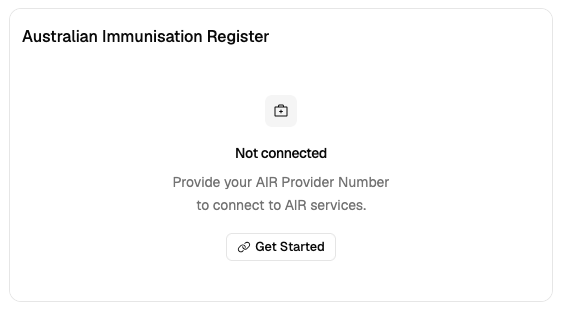
Step 1: Open AIR Provider Setup
- Go to Settings → Integrations in Light
- Find the AIR Integration card
- Click Get Started
Step 2: Enter Credentials
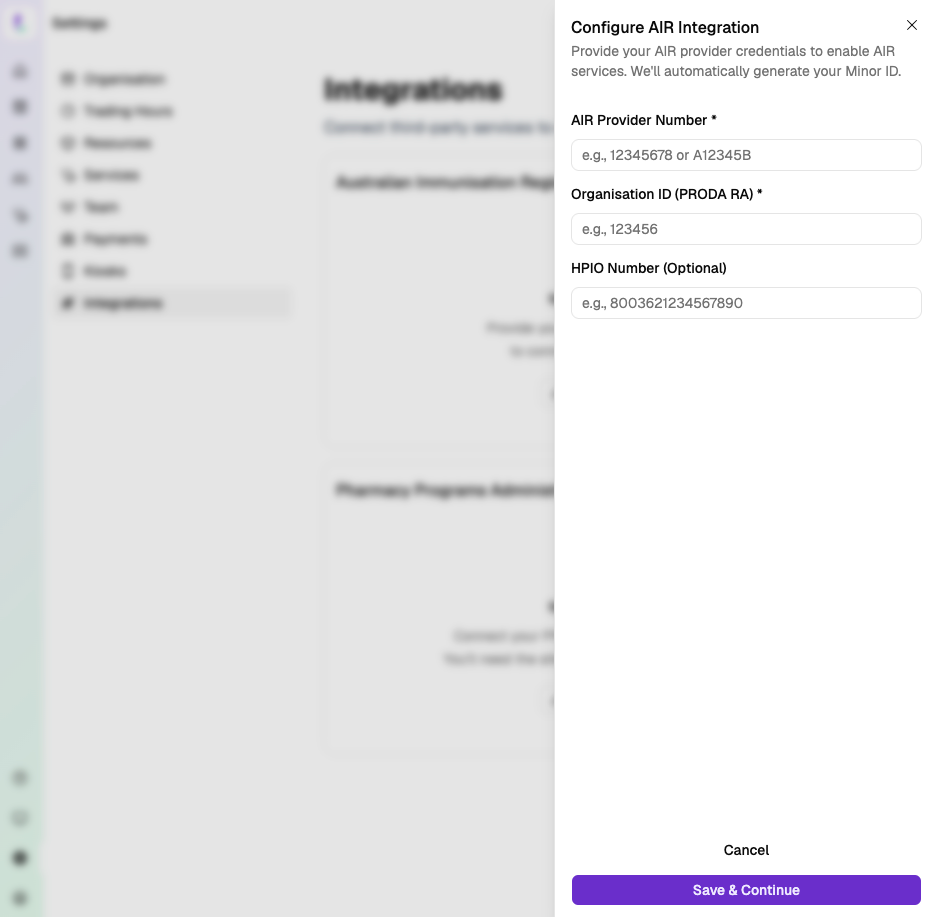
AIR Provider Number (required)
- e.g.,
12345678orA12345B
Organisation ID (PRODA RA) (required)
- Numeric (e.g.,
123456)
HPIO Number (optional)
- 16 digits (e.g.,
8003621234567890)
Step 3: Save
- Click Save & Continue
- Light generates your Minor ID and Device Name automatically
Your Minor ID is now visible on the AIR Integration card.
Each physical location must have its own unique Minor ID. Do not share Minor IDs between locations.
Next Step
Activate PRODA Device — connect Light to AIR using your activation code.