Prepare PRODA
Set up your PRODA account, link to AIR, and create a B2B device before configuring Light
Complete these steps in PRODA before configuring Light.
If you don't have a PRODA account, visit servicesaustralia.gov.au/proda to register.
Step 1: Configure Your PRODA Account
Ensure the following are set up:
- Two-factor authentication enabled
- Organisation linked to your PRODA account
- Organisation linked to AIR service
- AIR permissions assigned to your account
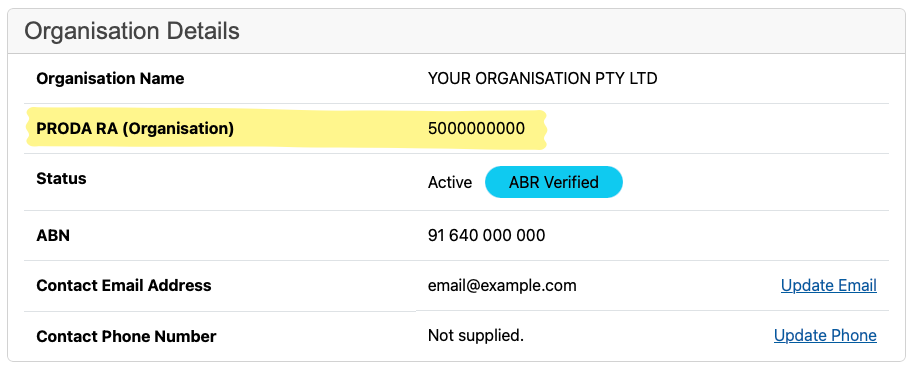
Note your Organisation ID (RA number) — you'll need this when configuring Light.
Step 2: Create a B2B Device
- Log in to PRODA
- Navigate to My Organisations > your organisation > Devices
- Click Add Device > B2B Device
- Enter a device name (e.g., "Light - Main Clinic")
- Select Australian Immunisation Register (AIR) under services
- Click Create Device
Step 3: Generate an Activation Code
- Find your device in the Devices list
- Click Actions > Generate Activation Code
- Copy the Activation Code
Activation codes expire. If yours expires before you use it, generate a new one from the same device.
Checklist
Before moving to Light, confirm you have:
- ✅ Organisation ID (RA number)
- ✅ AIR Provider Number
- ✅ Activation Code from your B2B device
Need Help?
PRODA issues: Services Australia at 1800 700 199 or servicesaustralia.gov.au/proda.
Next Step
Configure AIR Provider — enter your credentials in Light.