Verify AIR Access
Confirm your AIR connection and authorisations are active
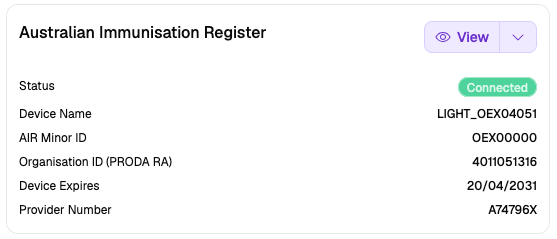
Verify that Light is connected to AIR and your authorisations are active.
Check Connection
- Go to Settings → Integrations in Light
- Confirm the AIR Integration card shows Connected (green badge)
- Check the Device Expires date is in the future
Check Authorisations
- On the AIR Integration card, click View
- Confirm the following are authorised:
- ✅ Access Individual Immunisation History
- ✅ Record Vaccination Encounter
- ✅ Update Vaccination Encounter
- ✅ Record Medical Contraindication
- ✅ Record Natural Immunity
- ✅ Download Immunisation History Statement
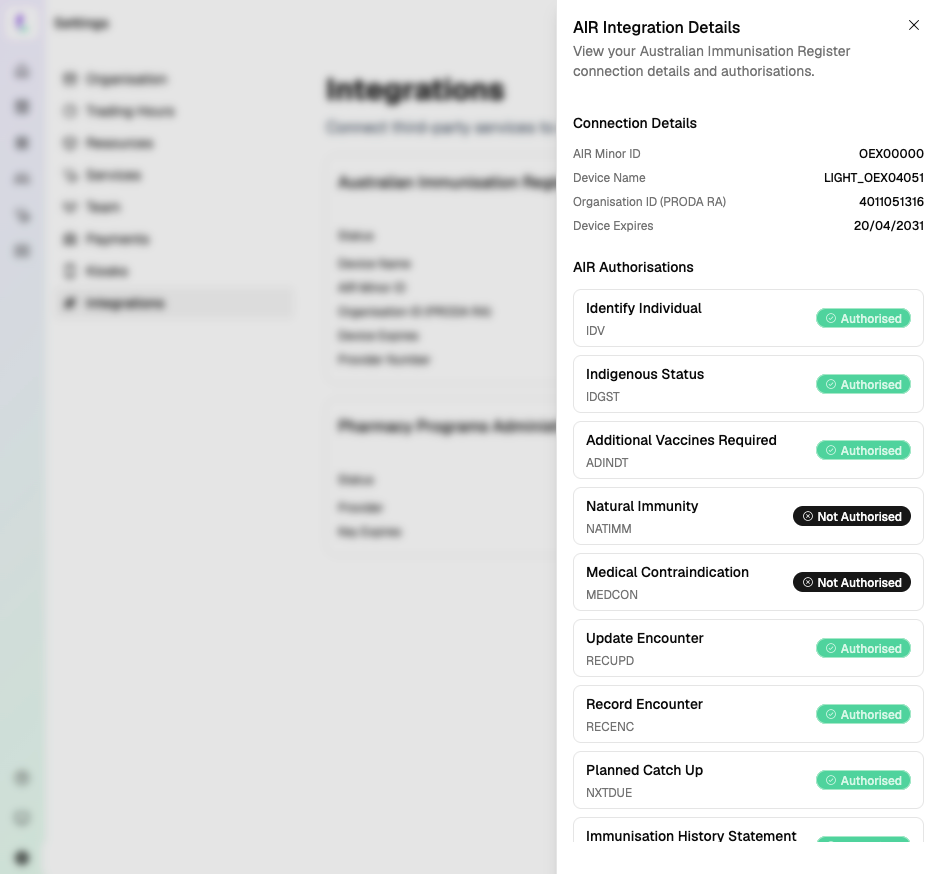
If authorisations are missing, check your PRODA account permissions or contact Services Australia at 1800 700 199.
Test Patient Identification
- Open any customer profile in Light
- A green Identified badge on the AIR section confirms the connection is working
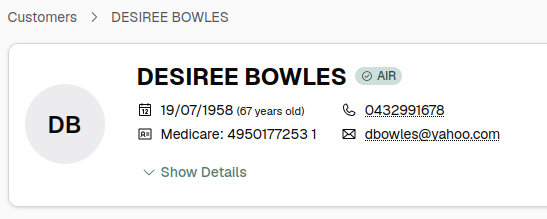
If the badge shows Not Identified, verify the customer's Medicare card number, IRN, and date of birth.
Connection confirmed, authorisations active, and patient identified? Your AIR integration is ready to use.
Troubleshooting
- Not Connected: Complete Activate PRODA Device
- Missing authorisations: Check PRODA permissions or contact Services Australia at 1800 700 199
- Patient not identified: See Patient Identification Issues