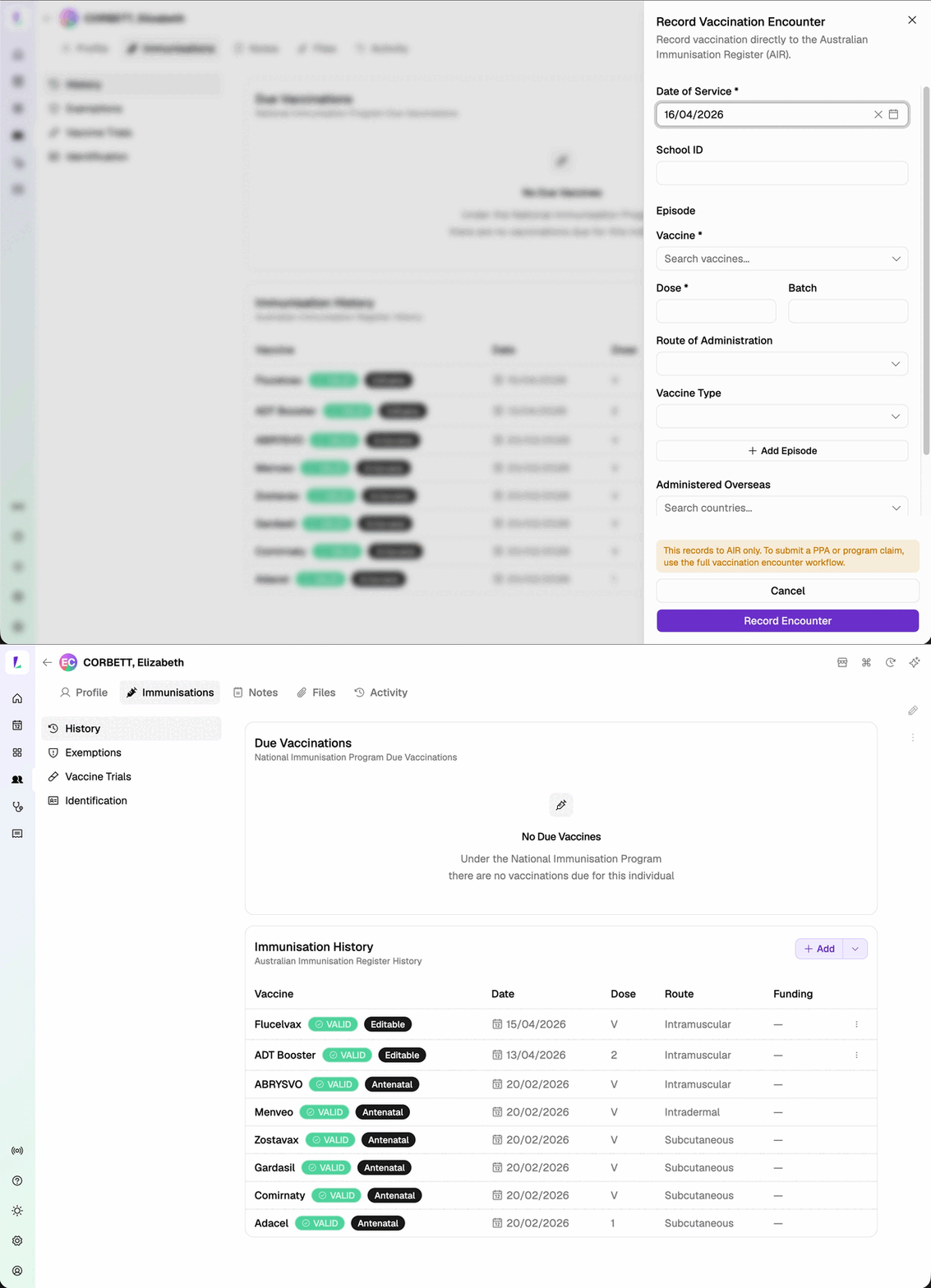
Viewing Immunisation History
Access complete vaccination records with status badges and encounter details
The immunisation history card displays all vaccination records for a patient from AIR, sorted by most recent first.
How to View
- Open the patient's profile in Light
- Confirm green Identified AIR badge
- Find the Immunisation History card in the sidebar
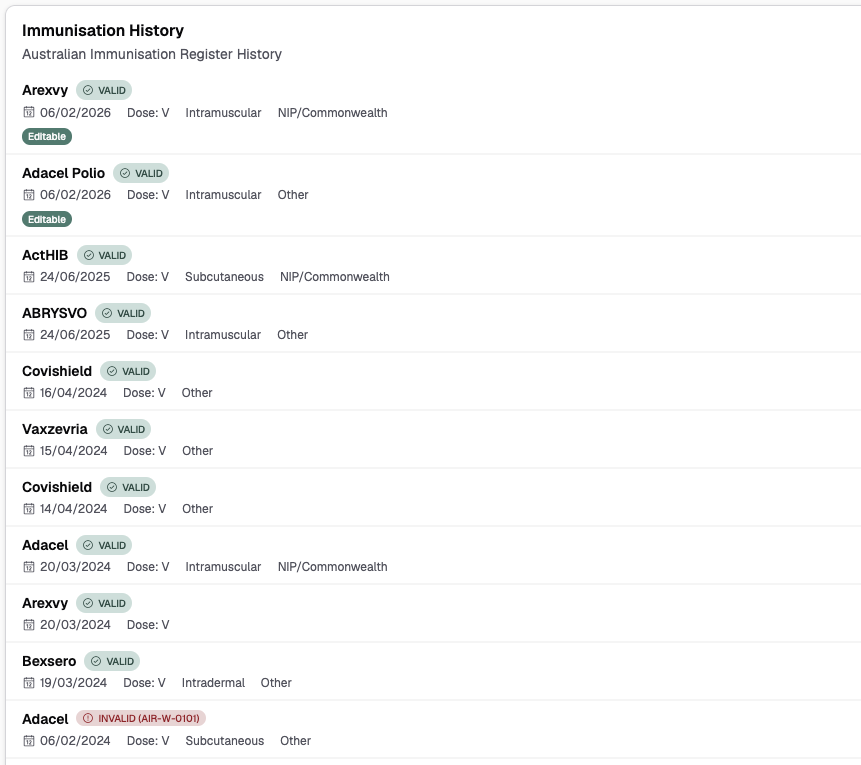
What Each Record Shows
For each vaccination record:
| Field | Description |
|---|---|
| Date of Service | When the vaccine was administered |
| Vaccine Name | Human-readable name mapped from AIR code (e.g., "Comirnaty (Pfizer)") |
| Dose | Dose number in the vaccination series |
| Route of Administration | How the vaccine was given (e.g., Intramuscular, Subcutaneous, Oral) |
| Vaccine Funding Type | Funding source (e.g., NIP, Private, State/Territory) |
| Antenatal Indicator | Shown when vaccine was administered during pregnancy |
Status Badges
Each record has a status badge:
- Valid (green) — accepted by AIR, no issues
- Warning (yellow) — accepted with warnings (e.g., duplicate, unusual interval). Hover for details.
- Error (red) — rejected by AIR, requires correction
- Pended (grey) — pending AIR review, may need Accept and Confirm
Record Indicators
- Editable — dropdown menu available to update the record
- Action Required — warning flag, review and possible resubmission needed
- Administered Overseas — country code badge shown
Recording and Updating
- To record a new vaccination, click the Add button on the Immunisation History card. See Recording Encounters.
- To update an editable record, click the dropdown menu on the record. See Updating Encounters.
AIR only: When you tap Add from a customer's Immunisation History, the vaccination is recorded directly to AIR. It does not go through PPA or State-funded claiming. This means the recording will not appear in your Claims screen or Service Report. If you need to submit a claim, record the vaccination through a booking instead.